
A screen has two sizes: the display size, which matches the target device, and the design size used while you work in the editor. This guide explains how the two relate.
Example scenario used in this guide:
- Display size:
800 x 480 - Design size:
800 x 600 - Widgets: a button placed near the top and an arc placed near the bottom
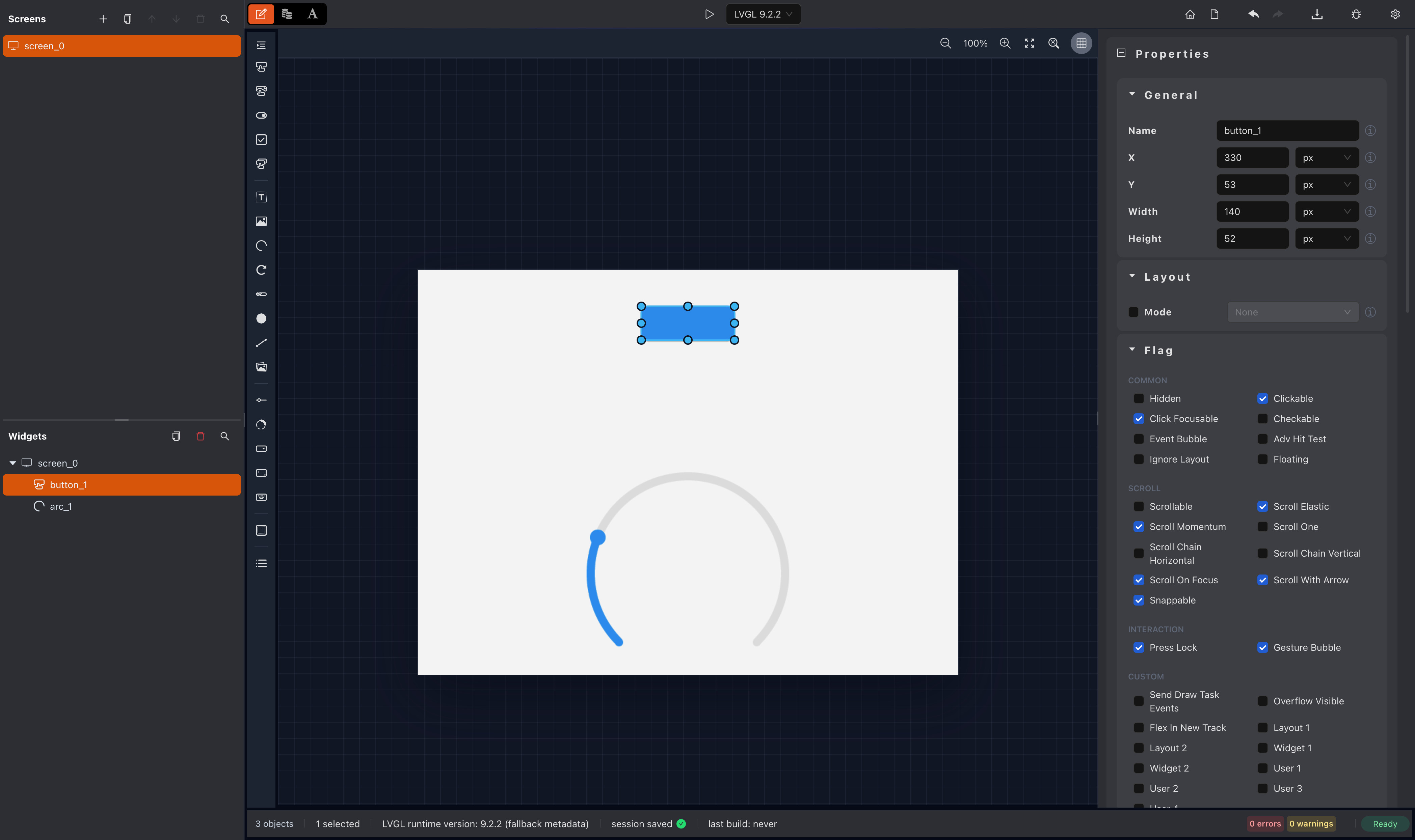
Design time
While designing, you can enlarge the screen to accommodate more widgets. The enlarged size is an editor-only override: it affects the canvas layout while you work, but it is not the size used for preview.
In this example, the 800 x 600 design size makes both widgets fully visible on the canvas at the same time.
Preview time
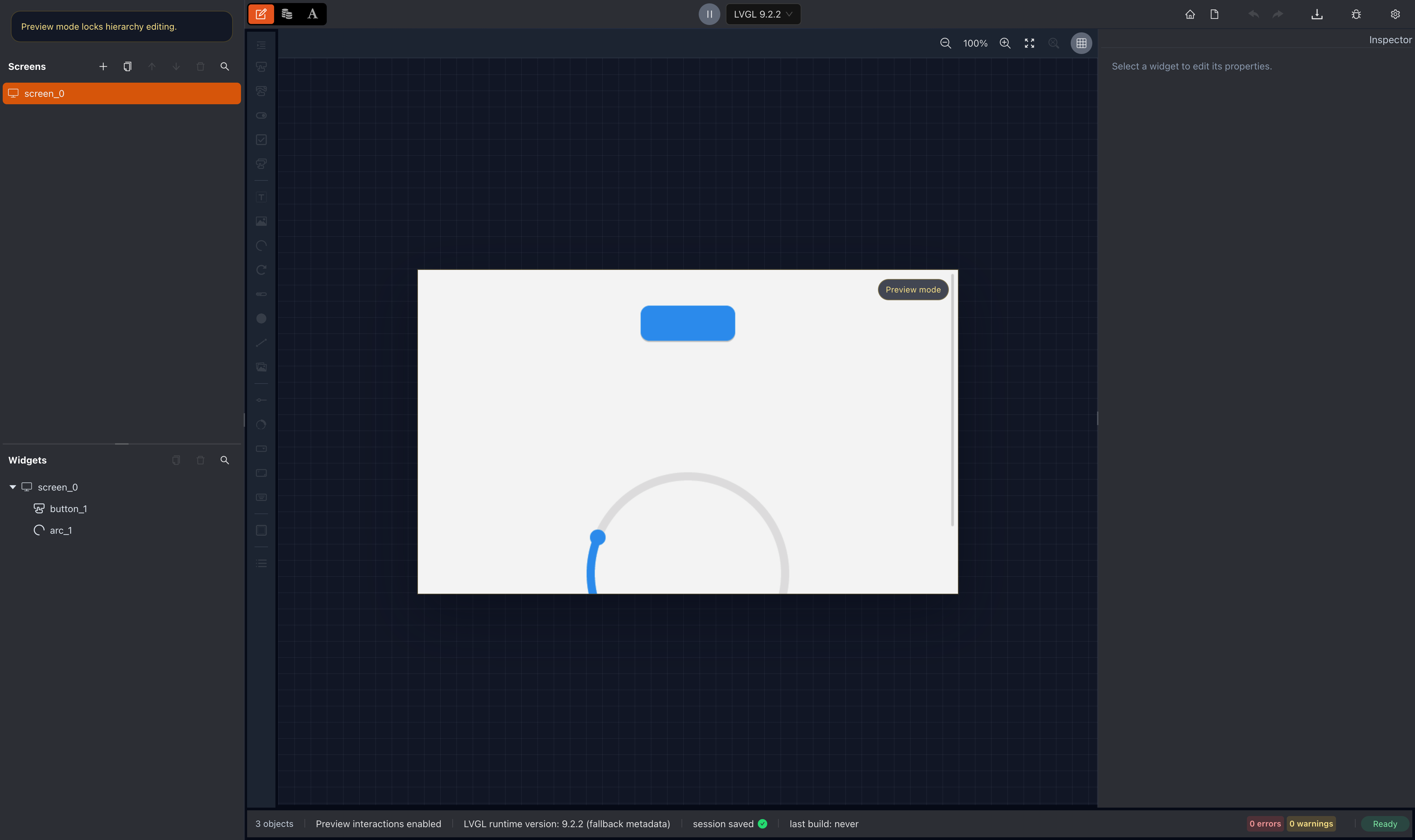
When you preview the project, the screen size is set to the display size from the project configuration. Preview therefore reflects the real use case and matches the target device's resolution, instead of the enlarged design canvas.
With the same layout, preview switches back to the display size of 800 x 480. The button near the top remains visible, while the arc near the bottom becomes only partially visible and you need to scroll to see it completely.
Constraints
Screen dimensions are bounded by the supported minimum and maximum resolution.
Memory considerations
A larger screen increases the memory footprint of the rendered output. If the target device runs low on memory, increase LV_MEM_SIZE in lv_conf.h, as described in the transplant guide.
Related guides
- Workspace - configure the target display size for a project.
- Layout - how widgets are arranged on the design canvas.
- Overview - design screens in the editor.
- Transplant - memory and configuration on the target device.
- Simulator - run the application on a local machine.
- Dynamic Display Size Change - change the display size and let responsive layout adapt the UI.